How to Duplicate a Page in Webflow?
This guide is your go-to resource for efficiently duplicating pages in Webflow, with clear step-by-step instructions to help you clone any page in seconds.
Step 1: Click on the 'Pages' menu
Log into your Webflow account and navigate to the project where the page resides.
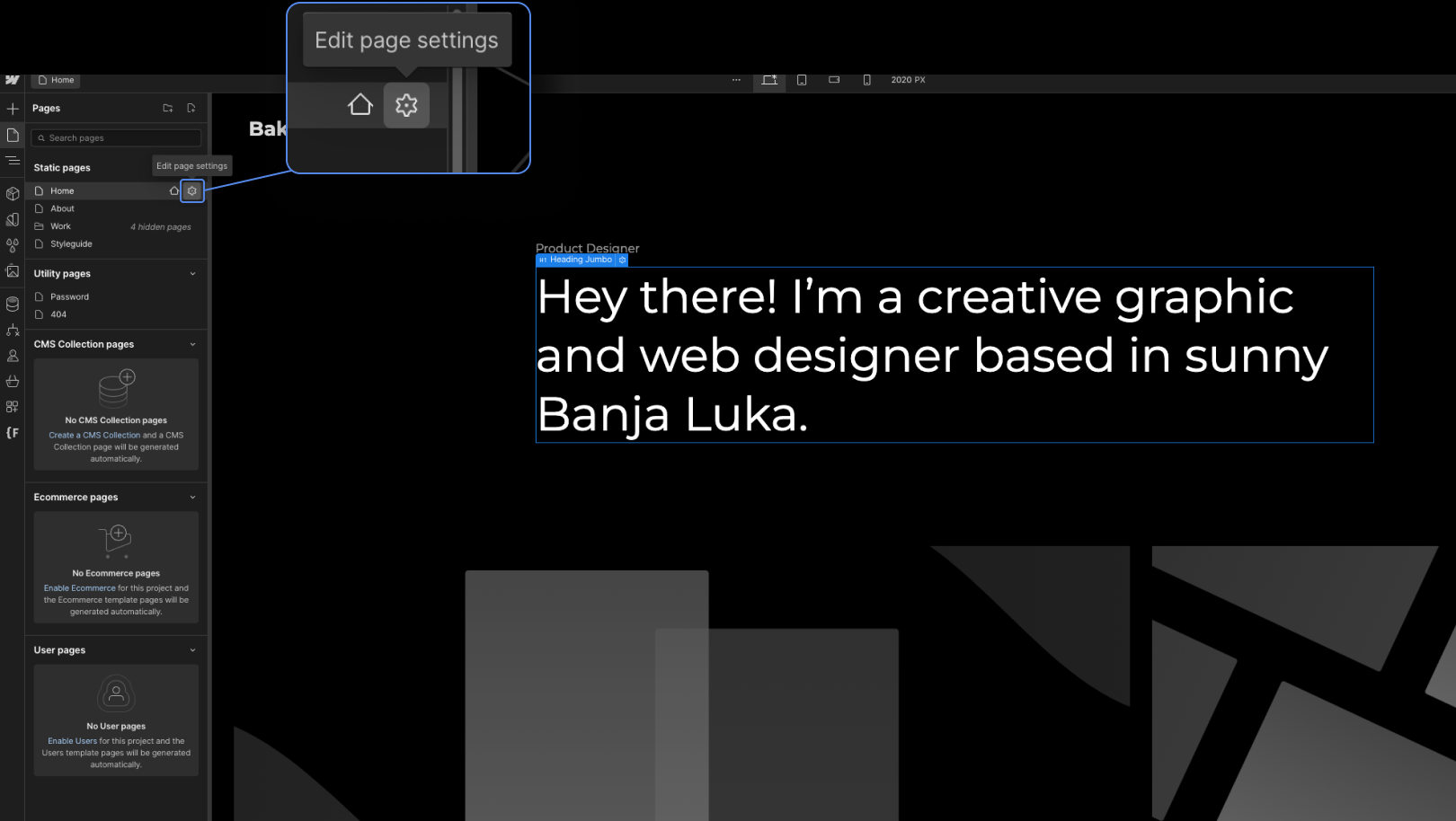
Step 2: Click on the 'Edit Page Settings' cog of the page you want to duplicate
From the Pages panel, locate the page you wish to duplicate.
Step 3: Click on 'Duplicate This Page'
Click on the settings icon next to the page name. Look for the 'Duplicate' option and select it.

Step 4: Give a new name to the duplicated page
Once duplicated, rename the new page to avoid confusion.

Step 5: Customize the Duplicated Page
Customize the duplicated page as needed, ensuring it serves its new purpose effectively.
When you duplicate a page, it's important to note that all duplicated elements retain their original CSS classes. It's essential to be aware that any design changes made to one element will impact all instances of that element across both the original and duplicated pages, unless you alter the class names.
Conclusion
- Duplicating a page in Webflow is a straightforward process
- Don't forget to customize the pages' settings after creating the duplicate
Struggling with page duplication in Webflow or need more advanced design assistance? Contact Tunel Studio for personalized support and expert guidance.


Your growth starts with one conversation.
No pitch deck. No pressure. A focused 30-minute call about where you are, where you want to be, and whether we're the right team to get you there.